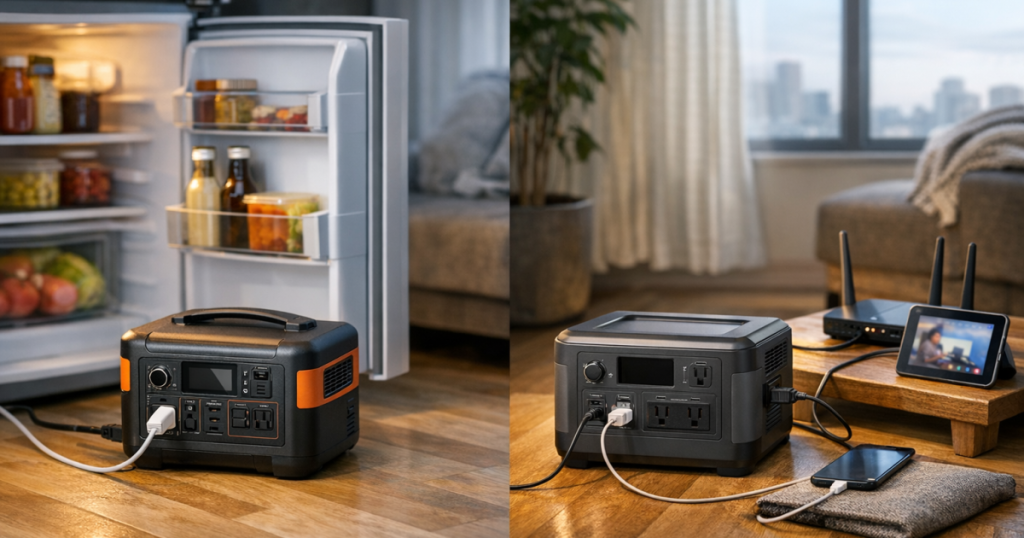
Apartment outages are awkward because the two things you most want to keep alive, the fridge and Wi-Fi, sit in different parts of the home and have very different power habits. The best portable power stations for apartments are quiet, indoor-safe battery units with enough output for refrigerator startup, enough capacity for router and device charging, and a footprint you can actually store.
Permanent wiring, electrical panel connections, and transfer-switch work should be carried out by a qualified electrician so the setup complies with local electrical codes and safety requirements.
The strongest apartment choices in 2026
For most renters and condo owners, the right answer is not a fuel generator. Gas, propane, and dual-fuel generators belong outdoors, far from windows and doors, which makes them a poor fit for many apartment situations. A compact power station is the cleaner choice: charge it before the storm, keep it indoors, and plug essentials directly into it when the grid drops.
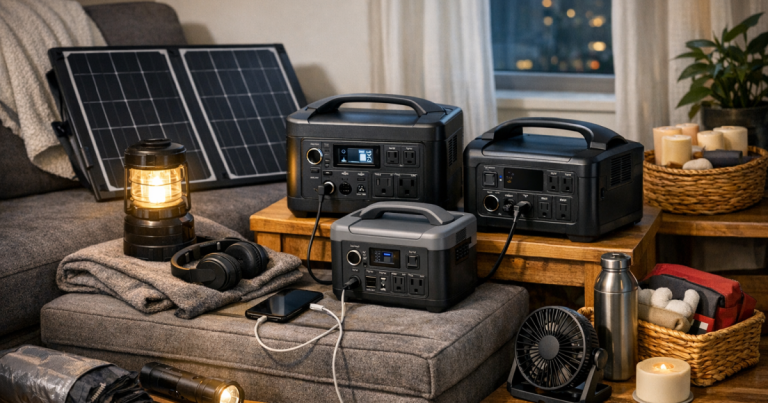
In 2026, three compact power stations stand out for apartment fridge and Wi-Fi planning: the Jackery Explorer 1000 v2 Portable Power Station as a lightweight 1kWh-class starting point, the EcoFlow DELTA 3 Plus Portable Power Station when fast recharging and UPS-capable use are priorities, and the BLUETTI Elite 100 V2 Portable Power Station for a compact setup that can work well with solar recharging where your building layout allows it.
- Choose a 1kWh-class unit when you want a realistic balance of storage, portability, and closet-friendly size.
- Check both continuous output and surge output before relying on any unit for a refrigerator compressor.
- Plan Wi-Fi separately from the fridge, because routers are low-load but often located far from the kitchen.
- Expect runtime to vary. Fridges cycle on and off, apartment models differ, and room temperature changes the result.
Step 1: Decide what the power station must actually do
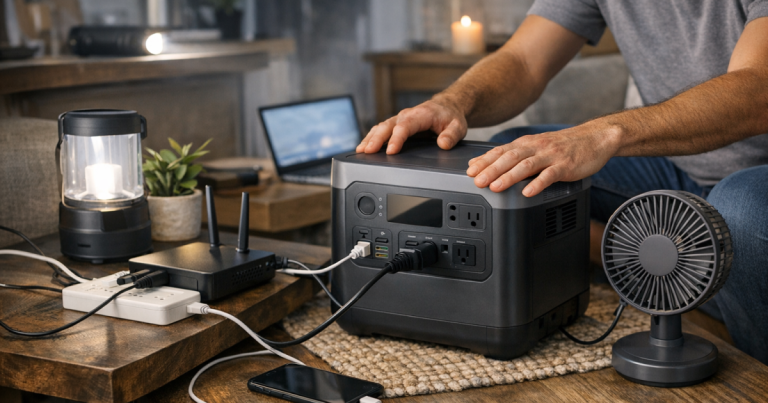
A fridge-and-Wi-Fi plan sounds simple until you map the outlets. Your refrigerator may be across the kitchen, your modem may be in the living room, and your work laptop may be at a desk in between. A single power station can help, but only if you decide which load gets priority.
- Fridge priority: Place the power station close enough to the refrigerator that you do not need a long, coiled, undersized cord. The fridge should be plugged directly into the unit when possible.
- Internet priority: If connectivity is the main concern, keep the battery near the modem, router, or fiber terminal. Internet gear usually uses far less power than a fridge, so it is easier to keep running for longer.
- Shared plan: Run the fridge in cooling sessions, then move the power station back to networking and devices. This takes discipline but can stretch useful backup time.
- Medical or food-safety priority: If the fridge holds temperature-sensitive medications, infant supplies, or essential dietary items, treat that as the top load and plan a backup cooling method too.
For a deeper look at router, modem, laptop, and phone loads, use our guide to which size portable power station keeps internet and devices running.
Step 2: Shortlist compact models that fit apartment life
Jackery Explorer 1000 v2 Portable Power Station
The Jackery Explorer 1000 v2 is the easiest of these picks to understand: it is a lightweight 1kWh-class portable power station aimed at households that want meaningful backup without jumping into large, hard-to-store equipment. That makes it a sensible starting point for an apartment fridge-and-router plan, provided your refrigerator’s startup demand fits within the unit’s rated output.
Its appeal is the balance. A 1kWh-class battery is not a whole-apartment solution, and it should not be treated like one, but it can cover the essentials better than a small phone power bank or desktop UPS. For renters, the most important job is to test it before bad weather: plug in the fridge, confirm it starts normally, then measure how quickly the battery drops during a realistic cooling cycle.
EcoFlow DELTA 3 Plus Portable Power Station
The EcoFlow DELTA 3 Plus is the pick to study if your apartment outage plan includes frequent top-ups. Its fast-charging and UPS-capable positioning make it interesting for people who work from home, rely on networking gear, or want a smoother bridge between normal power and battery power for electronics.
For fridge use, the same rule applies: verify the refrigerator’s startup surge against the product’s published ratings. For Wi-Fi, it can be a tidy way to keep the modem and router protected from short outages while still having a portable reserve for phones, lights, and a laptop. It is not a substitute for a dedicated building generator, but for apartment dwellers who get flickers, storm outages, or rolling utility interruptions, that flexibility is valuable.
BLUETTI Elite 100 V2 Portable Power Station
The BLUETTI Elite 100 V2 belongs on the shortlist for renters who want a compact battery and are thinking seriously about solar recharging. A high-solar-input design only helps if your apartment has access to suitable sun, but in the right layout it can reduce how often you depend on wall charging before a longer outage.
Apartment solar is not as simple as leaning a panel anywhere sunny. You need safe placement, permission where required, and a route that does not pinch cables in doors or create a trip hazard. If your only outdoor space is a shared balcony or a shaded window, treat solar as a bonus instead of the backbone of the plan.
Step 3: Check your fridge before you trust the setup
A refrigerator is harder on a battery than a router because the compressor draws more power when it starts. The label on the appliance can help, but the most useful check is a controlled test while the grid is still on. Start with the fridge cold, plug it into the power station, and watch whether the compressor starts cleanly without tripping the unit.
- Do not use a power station if the manufacturer says it is unsuitable for compressor appliances.
- Keep the refrigerator door closed during the test so the compressor cycle is closer to outage conditions.
- Note the battery percentage before and after a one-hour run, then treat that as an estimate, not a promise.
- Avoid adding a microwave, toaster, coffee maker, or space heater to the same battery plan. Those loads can drain capacity quickly and may exceed output limits.
- Use only appropriately rated cords when a cord is unavoidable, and never run cords under rugs or through wet areas.
The best apartment setup is boring in the nicest way: fridge starts, router stays online, cords stay visible, and nothing feels improvised in the dark.
Step 4: Set it up so the apartment stays livable
Place the power station where it has airflow, a stable surface, and a clear cord path. Do not bury it under coats in a closet while it is running. Do not put it on top of the refrigerator, where vibration and height make it easier to knock down. A low table, kitchen cart, or open floor spot beside the appliance is usually more practical.
If the unit also supports your Wi-Fi, decide whether you will move it between fridge sessions and the router or keep internet gear on a smaller UPS while the larger power station handles the refrigerator. That split setup can be neater in apartments where the kitchen and router are far apart.
For room-by-room placement, cord routing, ventilation, and balcony cautions, follow the steps in setting up a portable power station safely in an apartment.
Step 5: Build a fridge backup plan that does not depend on perfect runtime
No compact battery can make food-safety decisions for you. It can buy time, reduce door openings, and help the fridge recover temperature after brief access, but you still need a cooler plan if the outage stretches longer than expected.
- Keep a simple fridge thermometer and freezer thermometer where you can read them quickly.
- Freeze water bottles before storm season so they can act as cold mass during an outage.
- Group high-priority items together before the weather arrives so you are not searching with the door open.
- Move the most important perishables to a cooler if the fridge is warming and the battery plan is losing ground.
For the food side of the plan, especially when battery runtime is uncertain, use our walkthrough on how to pack a cooler when the fridge loses power.
Quick apartment answers
Can a compact power station run both a fridge and Wi-Fi?
Often, yes, but not automatically. The fridge’s startup surge is the deciding factor, while Wi-Fi equipment is usually a lighter load. Check the power station’s rated output, confirm the refrigerator starts, and run a timed test before relying on the setup.
Is a UPS better than a power station for internet?
A UPS is usually simpler for short router and modem outages because it can sit in place and switch quickly. A portable power station is more flexible for longer interruptions and can also support lights, phones, laptops, and, if compatible, a refrigerator.
Should apartment renters use a generator instead?
Not indoors. Fuel-burning generators create carbon monoxide and must be used outside with proper clearance from openings. Many apartment residents do not have a safe, allowed place to run one, which is why battery power stations are usually the cleaner fit.
What to remember
A compact power station for an apartment is an essentials tool, not a promise that normal life continues unchanged. The winning setup is the one that matches your refrigerator’s startup demand, keeps your Wi-Fi plan simple, stores neatly, and has been tested before the lights go out.
If you want the most balanced starting point, begin with a lightweight 1kWh-class unit like the Jackery Explorer 1000 v2. If recharge speed and UPS-capable use sit higher on your list, look closely at the EcoFlow DELTA 3 Plus. If solar recharging is part of your apartment plan and your sun access is realistic, the BLUETTI Elite 100 V2 deserves a spot on the shortlist. Whichever route you choose, the calmest outage setup is one you have already plugged in, timed, and practiced.