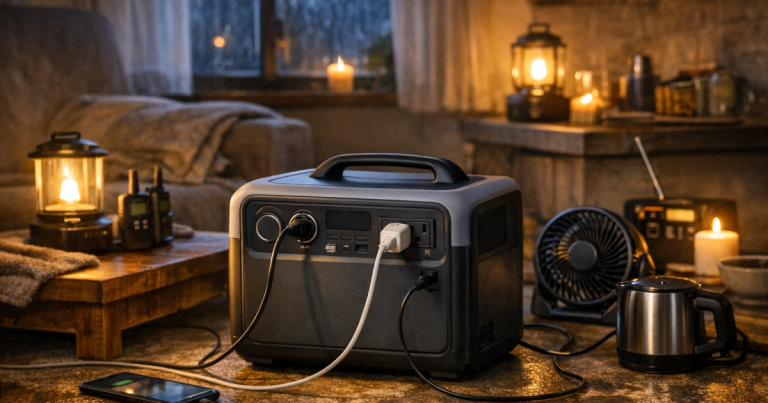
A power station that looks impressive on a shelf can feel disappointing during a blackout if it cannot run the loads your household actually needs. The portable power station features that matter most are not flashy extras; they are the specs and design choices that affect runtime, safe output, charging, noise, and day-to-day usability when the grid is out.
Electrical panel connections, generator inlets, transfer switches, and any hardwired circuit work should be carried out by a qualified electrician to meet local electrical codes, permitting rules, and safety standards. A plug-in power station can be simple to use, but connecting backup power to household wiring is regulated work.
The short version
For outage use, focus on five practical questions before worrying about bonus features:
- How many watt-hours are usable after conversion losses?
- Can the AC inverter handle both running watts and starting surge?
- Can it recharge from the wall, a vehicle, solar panels, or an outdoor generator?
- Are the outlets, display, controls, and weight manageable in the dark?
- Does the setup match your living situation: apartment, condo, suburban home, or rural property?
If you are still deciding what kind of backup system fits your home, start with the broader planning choices in backup power options for renters, condos, and houses. A power station is often the cleanest indoor option, but it is not the same as a whole-home standby system or a fuel-powered generator.
Capacity: advertised watt-hours versus usable runtime
Capacity is usually listed in watt-hours. A 1,000 watt-hour unit sounds simple: 100 watts for 10 hours. Real life is less tidy because the inverter, battery management system, temperature, age of the battery, and appliance behavior all affect runtime. Treat the label as a starting point, not a promise.
For outage planning, add up the essentials first. A phone and LED lamp may use very little power. A laptop, router, small fan, or medical device can use more. A refrigerator adds another layer because it cycles on and off and may draw a higher surge when the compressor starts. The better question is not “How big is the battery?” but “How many hours can it support my specific load with a safety margin?”
A useful habit is to build a small load list. Write down the device, its running watts from the label or a plug-in meter, how many hours you need it, and whether it has a starting surge. Then leave room for losses. If the math says you need nearly the full advertised capacity, move up in size or reduce the load plan.
Output: continuous watts and starting surge
The AC inverter rating tells you how much power the unit can provide at one time. Continuous watts are the steady load. Surge watts are the short burst some appliances need at startup. During outages, this matters more than many people expect.
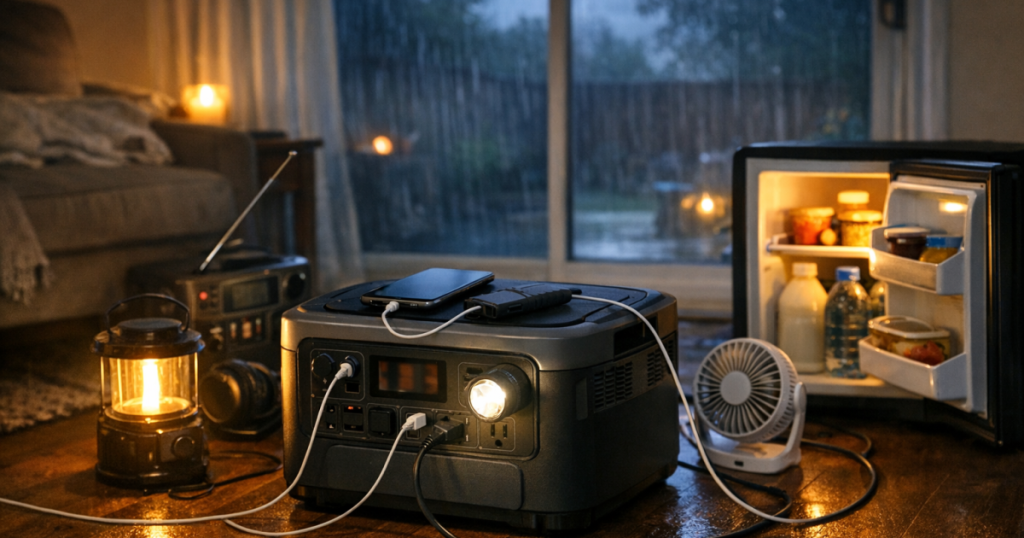
A power station may be able to charge phones, run lamps, and keep a router alive with ease, yet still struggle with a refrigerator, sump pump, microwave, or large power tool. That does not mean the unit is poor; it means the load is outside its realistic use case. Refrigerators are one of the most common home backup goals, so plan carefully and test before storm season. For a more detailed fridge-specific walkthrough, see how to run a refrigerator on a portable power station.
When checking output, look for the AC rating, DC options, USB-C output, and any warnings in the manual about high-draw appliances. Do not daisy-chain power strips, overload outlets, or assume every three-prong plug is safe just because it fits.
Outlets and power quality
Outlet layout can make a big difference at 2 a.m. during a storm. A station with enough capacity may still be awkward if its AC outlets are too close together for bulky adapters, or if the USB-C ports cannot support the laptop you planned to use. Before relying on it, plug in the actual devices you expect to run.
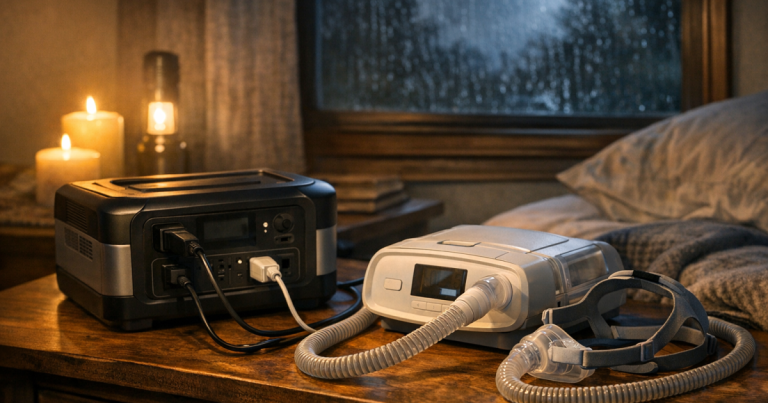
Power quality also matters for sensitive electronics. Many current models advertise pure sine wave AC output, but do not assume. Verify the current manufacturer specifications, especially if you plan to run networking gear, a CPAP machine, battery chargers, or electronics with motors. For medical equipment, follow the device manufacturer’s backup power guidance and keep a dedicated plan that is not based on guesswork.
Charging options when the outage lasts longer
A power station is only as useful as your plan to recharge it. Wall charging is fast and convenient before an outage. Vehicle charging can help in some situations, but it is usually slower and depends on safely operating the vehicle outdoors. Solar charging can extend runtime during multi-day outages, but it depends on panel size, sunlight, shade, weather, cable compatibility, and the station’s solar input limits.
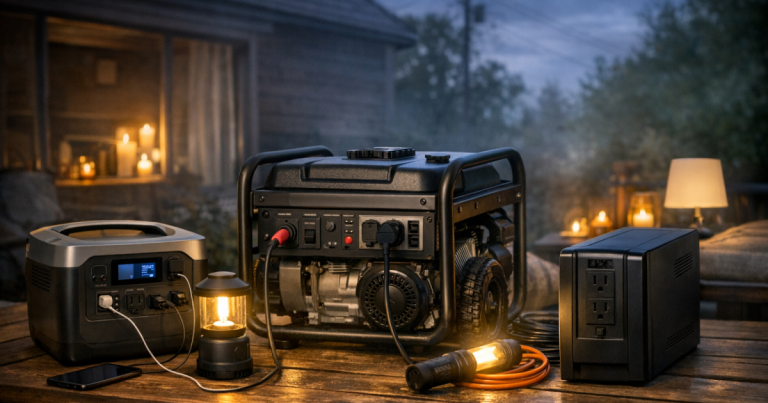
If you recharge from a gasoline, propane, or dual-fuel generator, the generator must stay outdoors and away from windows, doors, vents, garages, and enclosed spaces. Carbon monoxide risk is not reduced because the generator is “only charging a battery.” The power station can come back inside after charging, but the fuel-burning equipment stays outside.
Solar input is worth understanding before you need it. Check the allowed voltage and amperage range, connector type, maximum solar input, and whether the unit can charge while powering loads. Some households use solar to keep lights, phones, and a router going during daylight while saving stored battery capacity for evening needs. Others find solar too weather-dependent for their main plan but useful as a backup layer.
UPS behavior and Wi-Fi continuity
Some power stations include UPS-style or pass-through behavior, meaning they can sit between wall power and a device, then switch to battery when utility power drops. That can be helpful for routers, modems, small network switches, and desktop equipment. It is not the same on every model, and transfer time matters for sensitive electronics.
For internet backup, check whether your modem and router can stay powered together, whether the station’s outlets remain active when charging, and whether any energy-saving mode turns off low-watt loads. A smaller uninterruptible power supply may be better for instant switchover, while a larger power station may be better for longer runtime. The practical setup steps are covered in more depth in backup power for Wi-Fi during outages.
Indoor use, noise, and placement
One major advantage of battery power stations is that they can be used indoors when operated according to the manual. They do not burn fuel, produce exhaust, or require refueling. That makes them useful for apartments, condos, bedrooms, home offices, and nighttime outages where noise matters.
Still, placement deserves thought. Keep the unit dry, ventilated, and away from direct heat sources. Do not bury it under blankets or stack gear over cooling vents. Make sure cords do not cross walkways where someone could trip in the dark. If the unit has fans, expect some noise under heavier loads or while fast charging.
Weight is another practical feature. A unit that one person can carry during a calm setup may feel very different when the lights are out and the floor is cluttered. Handles, wheels, cord storage, screen readability, and button layout all matter more during a real outage than they do in a product photo.
Controls, display, and everyday usability
A clear display can prevent bad decisions. The most useful screens show remaining battery percentage, current input, current output, estimated runtime, and charging status. Estimated runtime is still only an estimate, but it helps you see what happens when the refrigerator cycles on or when someone plugs in an extra laptop.
Low-power shutdown settings are worth testing. Some stations automatically turn off when the load is very small. That can be frustrating if you are trying to run a modem, a small LED light, or a trickle charger. Look for settings in the manual and test the actual devices you plan to use.
For orientation, current power station lines such as Jackery Explorer 1000 v2 Portable Power Station, EcoFlow DELTA 3 Plus Portable Power Station, and BLUETTI Elite 100 V2 Portable Power Station show the kinds of spec sheets households often compare: capacity, AC output, charging speed, solar input, UPS behavior, app controls, port layout, and physical weight. Use those categories as a checklist, and verify the current manual before relying on any one model.
Real-world setup examples
Apartment outage plan
An apartment setup usually prioritizes indoor-safe power, low noise, compact storage, phones, lamps, a router, and maybe a laptop or small fan. Solar may be limited by balcony rules, shade, or lack of secure outdoor space. In this scenario, manageable weight and quiet operation can matter as much as raw capacity.
Family fridge and device plan
A suburban household may want to rotate power between a refrigerator, freezer, phones, lights, and Wi-Fi instead of running everything at once. That requires enough inverter output for the fridge surge and enough capacity to support intermittent cooling. A thermometer in the fridge and freezer helps you make food-safety decisions instead of guessing.
Work-from-home plan
Remote workers often need modem, router, laptop, monitor, and phone power more than heavy appliance support. The important features are stable output, enough USB-C or AC ports, good display information, and a tested runtime plan. If the neighborhood internet service itself goes down, local backup power cannot fix that, so a phone hotspot or alternate communication plan may also be part of the setup.
Feature checks before you rely on it
- Test the exact devices you plan to run before storm season.
- Label the cords and outlets you will use during an outage.
- Charge the station before forecasted storms, wildfire shutoffs, or extreme heat events.
- Store it within the temperature range listed in the manual.
- Keep the manual, charging cables, and adapters together.
- Use properly rated extension cords and avoid running cords through wet areas.
- Do not exceed the unit’s AC, DC, USB, or solar input ratings.
- Retest your plan after adding a new appliance, router, freezer, or work setup.
The goal is not to power your normal life without limits. The goal is to keep the most important loads running long enough to protect food, stay connected, maintain basic comfort, and reduce stress while the utility outage is being resolved.
Helpful questions
Can a power station run a full-size refrigerator?
Sometimes, but only if the station can handle the refrigerator’s starting surge and has enough usable capacity for the cycling load. Test your actual refrigerator, because age, compressor behavior, room temperature, and door openings all affect runtime.
Is solar charging enough for a multi-day outage?
Solar can help, but it is not guaranteed. Clouds, shade, short winter days, panel angle, and input limits can sharply reduce charging. Treat solar as an extension strategy unless you have tested it in realistic conditions.
Do I need UPS mode?
You need UPS-style behavior only if a device must stay on through a brief outage without manual switching. It can be useful for Wi-Fi gear and work equipment, but verify transfer time and low-load behavior.
How large should my first power station be?
Start with your load list, not a random capacity number. Add the watts and hours for essentials, allow for conversion losses, then choose a size that leaves a margin instead of running at the edge.
Can I plug a power station into a wall outlet to power my house?
No. Backfeeding through a household outlet is unsafe. Whole-circuit backup requires approved equipment such as a transfer switch or interlock, installed by a qualified electrician under local code requirements.
Main lessons
The most useful portable power station features are the ones that make your outage plan realistic: usable capacity, adequate inverter output, safe charging options, clear controls, manageable size, and verified compatibility with the devices you actually need. A calm test run on a normal weekend is far better than learning the limits during a storm.
Keep the plan simple. Decide what matters most, test those loads, label the setup, and recharge before trouble arrives. That is how a power station becomes more than a gadget; it becomes a dependable part of your household blackout routine.