When your office is also your kitchen table, a power outage can turn into a work problem fast. A solid work from home blackout plan keeps the essentials running long enough to finish a call, save your work, stay reachable, and make a calm decision about what happens next.
The goal is not to power every outlet in the house. It is to protect the few things that keep your workday functional: internet, laptop power, phone charging, lighting, and a safe way to stretch backup energy if the outage lasts longer than expected.
Safety note: Generator transfer switches, interlock kits, and any connection to home wiring should be installed by a qualified electrician in compliance with local electrical codes, manufacturer instructions, and applicable safety requirements.
At a glance
- Decide what work tasks truly matter during an outage: calls, deadlines, file access, customer support, or basic availability.
- Keep internet backup separate from laptop backup, because one can fail while the other still works.
- Use battery power indoors; use generators only outdoors, away from doors, windows, vents, and attached spaces.
- Know your runtime before the storm, not when the router is already blinking off.
- Write down a fallback plan for poor cell service, noisy neighborhoods, school closures, and multi-day outages.
Step 1: Define your minimum working setup
Start by separating “nice to have” from “must keep running.” For most remote workers, the minimum setup is a charged laptop, modem and router or fiber ONT, phone, task lighting, and possibly a headset. A second monitor, printer, desktop tower, space heater, coffee maker, and TV can quickly overwhelm a small backup plan.
A good first exercise is to list the exact devices you would power during a two-hour outage, an eight-hour outage, and an overnight outage. If you are not sure where to draw the line, use this guide to decide which devices truly matter in a blackout before you size any backup gear.
Think in work outcomes, not just devices. If your job requires video calls, you need stronger internet and more laptop runtime than someone who can draft documents offline. If you handle time-sensitive support, your phone and hotspot may matter more than your home router. If you work with large files, local copies and offline access may be just as important as power.
Step 2: Protect the internet path first
Home internet usually depends on more than one box. Cable internet often needs a modem and router. Fiber may need an optical network terminal plus a router. Some mesh systems have multiple nodes, but only the main unit may be essential for a temporary work setup.
Label the plugs before an outage. Put a small piece of tape on the modem, router, fiber terminal, and any power strip they use. When the lights go out, you do not want to guess which black power brick belongs to the internet.
Then test what actually happens. Unplug the nonessential mesh nodes and see whether your workspace still has usable Wi-Fi. If possible, move closer to the main router during an outage instead of trying to power the entire home network. This can save a surprising amount of battery capacity.
Have a second internet path. A phone hotspot can cover a short outage if your cellular signal is good and your mobile plan supports hotspot use, but towers can get congested during widespread outages. Test your hotspot from your normal work spot, then from a window or another room. Write down the best location for signal.
Step 3: Estimate runtime with real loads, not guesses
Backup power planning gets easier when you use simple math. Runtime depends on the usable capacity of your battery and the watts your devices draw. The labels on power adapters can help, but actual use varies, so treat any number as an estimate.
For example, if a modem and router together draw 25 watts and a small battery system can provide about 250 watt-hours of usable energy after losses, that setup might run for roughly 10 hours. If you add a laptop charger drawing 60 watts, runtime drops quickly. This is why you should avoid plugging in extras just because there is an open outlet.
For a more careful worksheet-style approach, use this explainer on how to calculate backup power runtime for essential devices. The important habit is to plan around watts and hours, not around vague promises like “all day power.”
Step 4: Decide how you will keep working in common outage lengths
For a brief outage under two hours
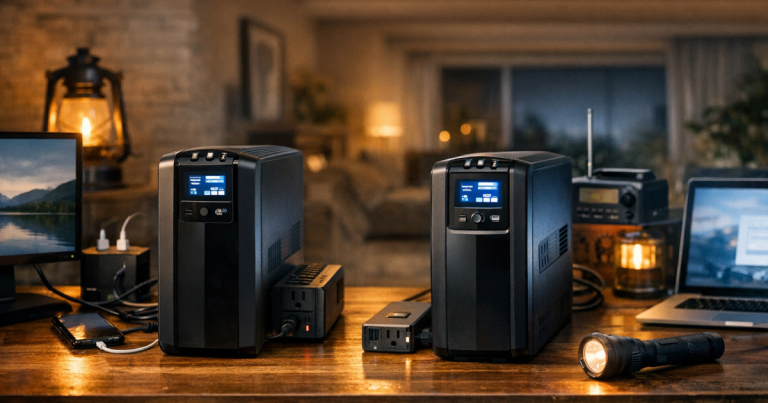
Your laptop battery, phone, and a small uninterruptible power supply for the router may be enough. The priority is avoiding dropped calls, corrupted files, and sudden router shutdowns. Keep your laptop charged during storm watches or utility alerts, and avoid draining it on non-work tasks.
For a half-day outage
You need a cleaner routine. Run only the modem, router, laptop, phone, and one light. Dim your screen, close power-hungry apps you do not need, and use audio-only calls when video is not required. If you have a portable power station, plug in the internet gear first, then charge the laptop in planned blocks instead of leaving everything connected continuously.
For a full-day or multi-day outage
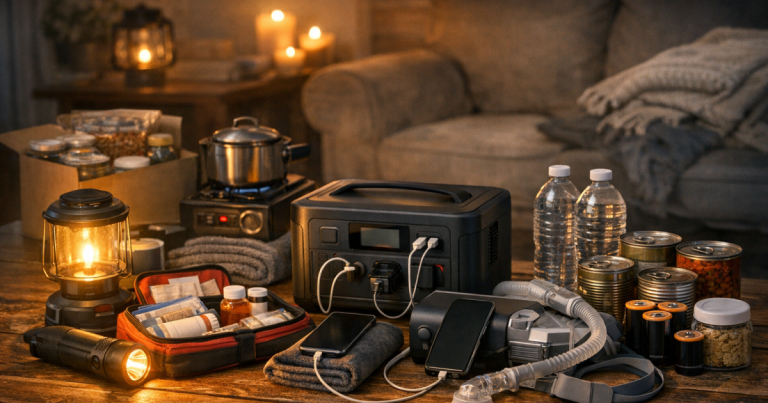
At this point, work planning overlaps with household planning. You may need to rotate power between work gear, refrigeration, medical devices, family phones, and lighting. A battery can be quiet and indoor-safe, but it eventually needs recharging. A portable generator can provide more energy, but it brings fuel storage, noise, carbon monoxide risk, extension cord limits, and outdoor-only operation.
If your job cannot tolerate a full missed day, write down a relocation plan now. That might mean a library, coworking space, relative’s house, office location, hotel, or another place with power and reliable internet. Confirm policies, hours, parking, and whether you can take calls privately.
Step 5: Set up your backup power safely
Battery systems and UPS units are the simplest indoor options for most remote work needs. Keep them on a stable surface with ventilation, away from water, heat sources, and overloaded power strips. Do not bury a battery under blankets, stack papers on it, or run cords through pinch points where they can be damaged.
If you use a portable power station indoors, follow the manufacturer’s instructions and avoid overloading the AC outlets. This safety walkthrough on how to use a portable power station indoors during an outage is a useful next read before you rely on one for a workday.
Generators are different. Never run a generator inside a home, garage, basement, shed, porch, or attached space. Keep it outdoors and far from openings, and use working carbon monoxide alarms in the home. Refuel only after shutdown and cooling, following the generator manual. Use properly rated outdoor extension cords or a professionally installed transfer method; do not backfeed a home outlet.
Step 6: Build a no-power work routine
Power gear helps, but your habits matter too. Before storm season or planned utility shutoffs, download key documents, sync files, charge your devices, and know which tasks you can do offline. If your work depends on cloud tools, open the files you are likely to need before the weather arrives.
Keep a short printed note near your desk with outage steps. Include your hotspot instructions, Wi-Fi password, supervisor or client contact numbers, power station location, UPS location, and the order of devices to plug in. A printed note sounds old-fashioned until your phone is low and your router is down.
Tell your team what to expect. A simple message such as “Storm outage risk today; I can stay reachable by phone and email, but video may be limited” can prevent confusion. If your company has an outage or business continuity policy, save a copy locally and know who needs to be notified if your connection fails.
Step 7: Test the plan before you need it
A blackout plan that has never been tested is mostly a theory. Pick a quiet afternoon and run a 30-minute drill. Unplug your router from wall power, connect only the planned backup devices, join a test video call, open your usual work tools, and check whether your lighting and seating still work comfortably.
Notice the small problems: a cord is too short, the UPS alarm is louder than expected, the hotspot signal is weak in your office, or the laptop charger uses more power than you assumed. These are easy to fix on a normal day and frustrating during a real outage.
Also check household friction. If kids are home from school, someone else may need phone charging, lighting, or internet access. If the outage happens at night, you may need quiet power and low-glare lighting. If you live in an apartment, generator use is usually not realistic, so your plan should lean harder on batteries, hotspots, and relocation options.
Common questions
Can I run my home office from a UPS?
Yes, for short outages, a UPS can keep a modem, router, or desktop computer alive long enough to save work and stay connected briefly. It is not usually a full-day power source, so check the load and expected runtime.
Is a phone hotspot enough for remote work during a blackout?
Sometimes. It can work well for email, messaging, and light calls if the cell network is stable. It may struggle with long video meetings, weak signal, or overloaded towers during a wider outage.
Should I power my second monitor?
Only if it is essential to your job and your backup system has enough capacity. In many outages, using the laptop screen alone is the better trade-off because it saves energy for internet and charging.
What should I do if my outage may last more than a day?
Switch from “keep working normally” to “protect critical work and household needs.” Charge in blocks, reduce video use, preserve phone power, and use your relocation plan if deadlines or connectivity are nonnegotiable.
Final thoughts
Working from home during a blackout is much easier when the plan is modest, tested, and written down. Keep the internet path simple, power only the devices that support real work, and be honest about runtime limits.
The best setup is not always the biggest one. For many households, a charged laptop, protected router, phone hotspot, careful battery use, and a clear fallback location will carry more real workdays than an oversized plan nobody has practiced.