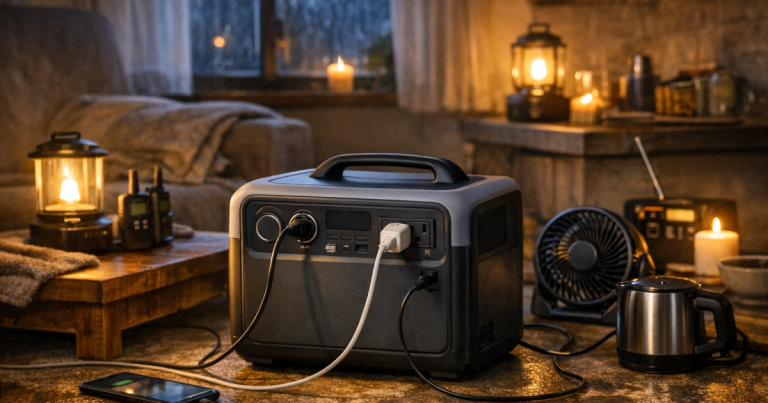
When the power goes out, the first job is usually simple: keep phones charged, run a few lights, protect internet access, and maybe support a fridge or medical device for a limited stretch. Portable power stations work by storing electricity in an internal battery, then converting it into usable AC and USB power for household essentials without the noise, fuel, or exhaust of a generator.
They are not miniature whole-home generators. Their real strength is controlled, quiet, indoor-friendly backup for the loads you choose carefully.
Professional guidance: Transfer switches, inlet boxes, and any connection to household wiring should be installed by a qualified electrician to meet local electrical codes, manufacturer instructions, and applicable safety standards.
What to know first
A battery station is best understood as a rechargeable power tank. Instead of producing electricity from fuel while it runs, it stores energy ahead of time and releases it through outlets when you need it. That makes it useful for apartments, townhomes, bedrooms, home offices, and other places where a gas generator is unsafe or impractical.
- It stores energy in watt-hours. Watt-hours tell you roughly how much usable energy is in the battery before conversion losses and real-world load changes.
- It powers devices in watts. Watts describe how much power a device is drawing at a given moment.
- It has output limits. The inverter can only supply so much continuous power, and some appliances briefly surge higher when starting.
- It must be recharged. Wall outlets, solar panels, car charging, and generators may be options depending on the model and your setup.
The calmer your outage plan is, the better these units perform. Instead of trying to run everything, you decide what keeps the household safe, connected, and reasonably comfortable.
How the power gets from the battery to your devices
Inside the unit, stored DC battery energy is routed through electronics that manage charging, safety protections, and output. For phone ports and many USB devices, the power may remain DC. For regular household outlets, an inverter changes battery power into AC power similar to what comes from a wall receptacle.
That inverter is the reason load limits matter. A small lamp, Wi-Fi router, phone charger, or laptop usually draws far less power than a microwave, space heater, sump pump, or full-size air conditioner. Even if the battery has energy left, the unit can shut down if the inverter is asked to deliver more power than it is designed to provide.
Some models include pure sine wave AC output, which is generally preferred for sensitive electronics and many motor-driven appliances. Others include app controls, expansion batteries, solar inputs, or fast wall charging. Those features can be useful, but they do not change the basic rule: the connected load must stay within the unit’s rated output, and the total energy demand must fit the battery capacity.
Watts, watt-hours, and runtime in plain English
Runtime is not magic, and it is rarely exact. A 1,000 watt-hour unit does not automatically run a 1,000-watt device for a perfect hour. Inverter losses, battery reserve settings, temperature, aging, and changing appliance behavior all reduce or shift the real result.
A simple estimate starts like this: divide usable watt-hours by the watts your devices draw. If your router, modem, LED lamp, and phone charging together average 60 watts, a mid-size battery could keep that small communications setup going much longer than it could run a high-demand appliance. If you add a device that draws hundreds of watts, runtime drops quickly.
Fridges and freezers are trickier because they cycle. They may draw more when the compressor starts, then much less or nothing while idle. That means an average runtime estimate can be more useful than staring only at the running wattage. Use a plug-in watt meter before storm season if you want better household numbers.
For a broader planning method, map your loads against likely outage length using how much backup power your outage plan needs. That gives you a cleaner way to decide whether your goal is basic device charging, overnight internet, food protection, medical support, or a larger essentials plan.
What these units can realistically run at home
Portable power stations shine when the job is specific. During a short outage, they can keep a small household from feeling cut off. During a longer event, they help you rotate power between priorities instead of draining the battery on convenience loads.
Low-demand essentials
Phones, tablets, rechargeable lanterns, battery radios, headlamps, and small USB fans are usually easy loads. They draw modest power and can often be charged in batches. This is where even compact units can make a noticeable difference in household comfort.
Internet and work gear
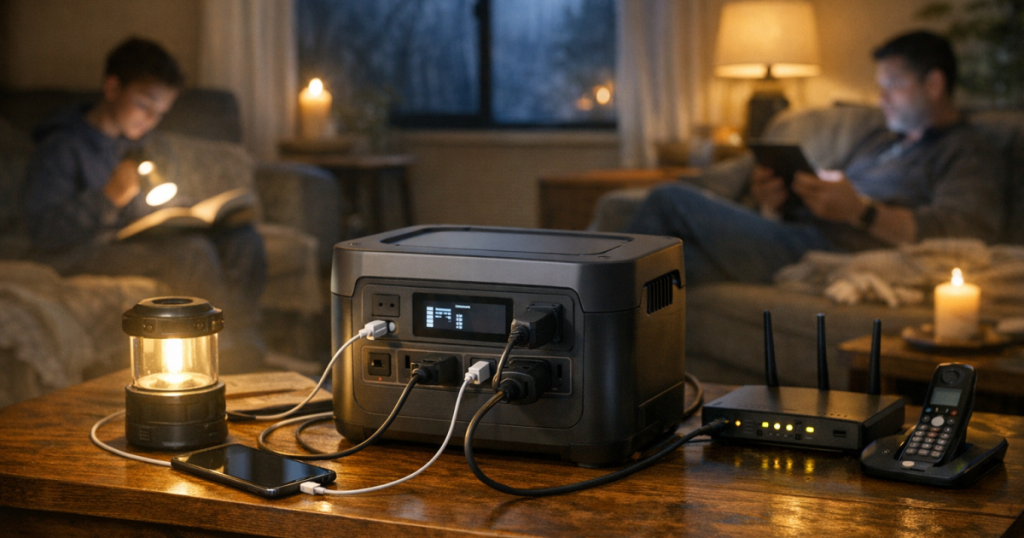
A modem, router, mesh node, laptop, and monitor can add up, but they are still often within the range of many backup batteries. If remote work or family communication matters, test the setup before an outage. Confirm that your internet service itself continues during local grid failures; your router cannot fix a neighborhood service outage.
Refrigeration
A refrigerator or freezer may be possible on a larger unit, but it depends on the appliance, starting surge, battery capacity, ambient temperature, how often the door opens, and how long the outage lasts. Use a thermometer inside the fridge and freezer so you can make food-safety decisions based on temperature, not guesswork.
Medical and comfort equipment
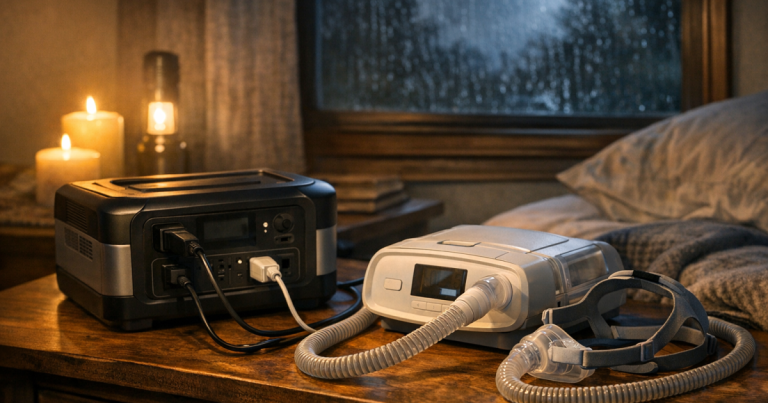
CPAP machines, oxygen-related equipment, powered recliners, and other health-related devices need extra care. Check the device label, power adapter, manufacturer guidance, humidifier settings, and whether backup power is medically appropriate for your situation. Build in margin rather than planning around a perfect runtime estimate.
Where they do not replace other backup systems
A battery station should not be treated as a silent whole-house solution. Electric ranges, central HVAC systems, electric water heaters, large well pumps, clothes dryers, and space heaters are usually poor matches unless you have a much larger, purpose-built system and the correct electrical integration.
They also do not make unsafe wiring safe. Never use a homemade cord to backfeed a house panel. If you want selected household circuits powered from a generator or battery system through your electrical panel, that is a transfer-switch or interlock conversation, not a casual extension-cord workaround.
This is the practical split: use the battery unit for plug-in essentials, and use properly installed equipment for household circuits. If your goal is to feed hardwired loads, identify those loads separately and have the electrical side handled correctly.
Load limits: the detail that prevents most surprises
Every unit has a maximum continuous AC output and, often, a shorter surge rating. Continuous output is what it can supply steadily. Surge output is the brief burst it may handle when a motor starts. Both matter, and neither should be treated as permission to run the unit at its edge all night.
A good blackout routine is to start with the most important load, then add devices one at a time while watching the display. Many units show current watt draw and estimated runtime. Treat that display as a helpful estimate, not a promise.
- Unplug nonessential chargers once devices are full.
- Avoid running heat-making appliances such as kettles, toaster ovens, hair dryers, or space heaters from a battery station unless the model is clearly rated for the load and you accept the short runtime.
- Do not plug a power strip full of unknown loads into the unit and walk away.
- Keep vents clear so the inverter and battery management system can shed heat.
- Use appropriately rated cords and keep cords out of walkways, wet areas, and pinch points.
If you are building a setup for a fridge, freezer, CPAP, or multiple electronics, read how to avoid overloading a portable power station before the next storm warning. It is much easier to fix a weak plan on a normal afternoon than in a dark kitchen.
How recharging changes the outage plan
A battery-only plan is simple for short outages: charge it before bad weather, use it carefully, and recharge when grid power returns. Long outages are different. Once the stored energy is gone, the unit is just a heavy box until you can put energy back into it.
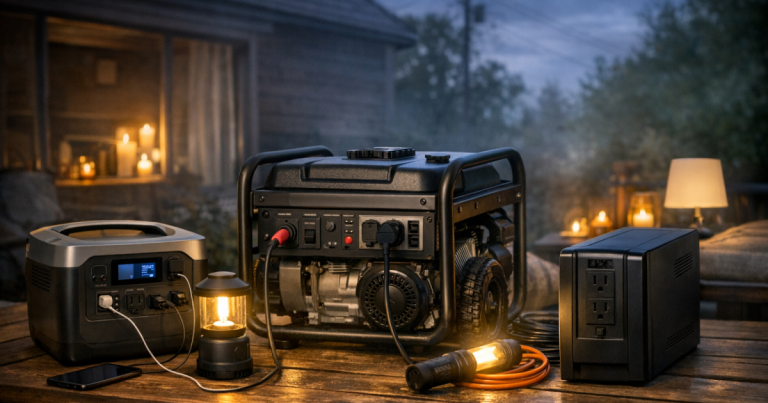
Wall charging is fastest for many households before an outage, but it is not available once the grid is down. Solar charging can help during multi-day events, though performance depends on panel size, sun angle, shade, weather, and the unit’s solar input limits. Car charging is usually slower and should be managed carefully so you do not create a vehicle battery problem. Some households pair a fuel-powered generator with a battery unit: the generator runs outdoors for limited charging windows, while the battery handles quiet indoor loads the rest of the time.
For multi-day planning, the key question is not only “How big is the battery?” It is “How will I refill it safely and repeatedly?” Start with recharging a portable power station during a long outage if your area sees hurricanes, winter storms, wildfire shutoffs, or extended utility repairs.
A simple home setup routine
Before storm season, charge the unit fully, update any settings you rely on, and store it where adults in the household can find it quickly. Label the cords for your router, modem, lamp, medical device, and fridge if those are part of your plan. A little labeling removes a lot of stress when the lights are already out.
When an outage starts, begin with communication and safety loads: phones, lighting, radio, and internet if available. Add food or medical loads based on priority. Keep an eye on the display and write down what actually happens. Real numbers from your own home are more useful than generic runtime claims.
After power returns, recharge the unit, inspect cords, reset your labels, and note what you would change next time. Maybe you need a better lantern strategy. Maybe your router runtime was excellent, but the fridge plan needs work. Treat each outage as a rehearsal that improves the next one.
Things readers ask
Can I use a battery station indoors?
Yes, a battery station can be used indoors because it does not burn fuel or produce exhaust like a gas generator. Keep it dry, ventilated, and away from heat sources, and follow the manufacturer’s operating instructions.
Will it automatically keep my house powered when the grid fails?
Usually not. Most units power devices plugged directly into their outlets. Whole-circuit or panel-based use requires compatible equipment and proper electrical installation, not a standard extension cord.
Can it run a refrigerator overnight?
Possibly, but it depends on the fridge, starting surge, battery size, room temperature, door openings, and how much other gear is connected. Test your own refrigerator before relying on it for food protection.
Is solar charging enough for a long outage?
Solar can extend runtime, but it is weather- and setup-dependent. Panel wattage, shade, season, and the unit’s input limit all affect how much energy you actually recover in a day.
Should I leave it plugged in all the time?
Follow the manufacturer’s storage guidance. Many households keep the unit charged and check it on a schedule, but battery chemistry, settings, and long-term storage recommendations vary by model.
Main lessons
A battery station is most useful when you give it a clear job: communications, light, device charging, limited refrigeration, or carefully planned medical support. It is quiet, indoor-friendly, and easy to deploy, but it still has firm limits around watts, watt-hours, surge loads, and recharging.
The best outage plan is not the biggest one on paper. It is the one your household can set up safely, understand quickly, and repeat when the power fails without scrambling.